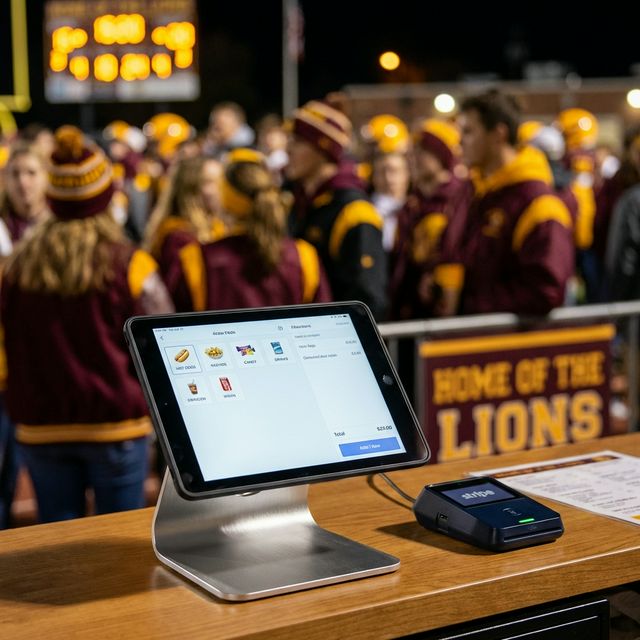
Still Running Your Concession Stand With a Cash Box?
no cash purchases weekly
Source: Pew Research Center, 2022
Everything Your Concession Stand Needs
Purpose-built for schools. Not a generic retail POS.
Cards + Cash
Accept cards via Stripe M2 reader and cash — never miss a sale.
Built for Schools
Purpose-built for concession stands, not a generic retail POS.
Event Tracking
Create, run, close, and report on every event automatically.
Volunteer-Friendly
So intuitive, anyone can pick it up and start selling.
Real-Time Reports
See live sales data and close-out reports by category.
Secure Payments
Stripe-powered processing — funds go directly to your organization's Stripe account and payout to your bank.
Supports: food, drinks, candy, merchandise, donations, and silent auctions
What You Need to Get Started
Spirit Pay is simple to set up. Here's everything required — we help with all of it.
iPad
Any iPad from the last 5 years works. We'll help you verify compatibility.
Stripe M2 Card Reader
The Stripe M2 reader connects wirelessly to your iPad and accepts tap, chip, and swipe.
Stripe Account
Your funds go directly into your organization's Stripe account and payout to your bank — no middleman.
Internet Connection
Any reliable Wi-Fi or mobile hotspot works. We'll confirm signal strength at your venue.
Three Steps to More Revenue
We Set It Up
Personal onboarding, hardware config, Stripe account setup, and your product menu pre-loaded. Hands-on — not a help ticket.
Your Volunteers Sell
Intuitive iPad POS that anyone can operate — food, drinks, merch, donations, and auctions.
You See the Results
Event close-out reports, sales by category, revenue analytics — all in real time.
Real App. Real Events.
These screenshots are from a live Peck Pirates concession stand — Spirit Pay in the field.
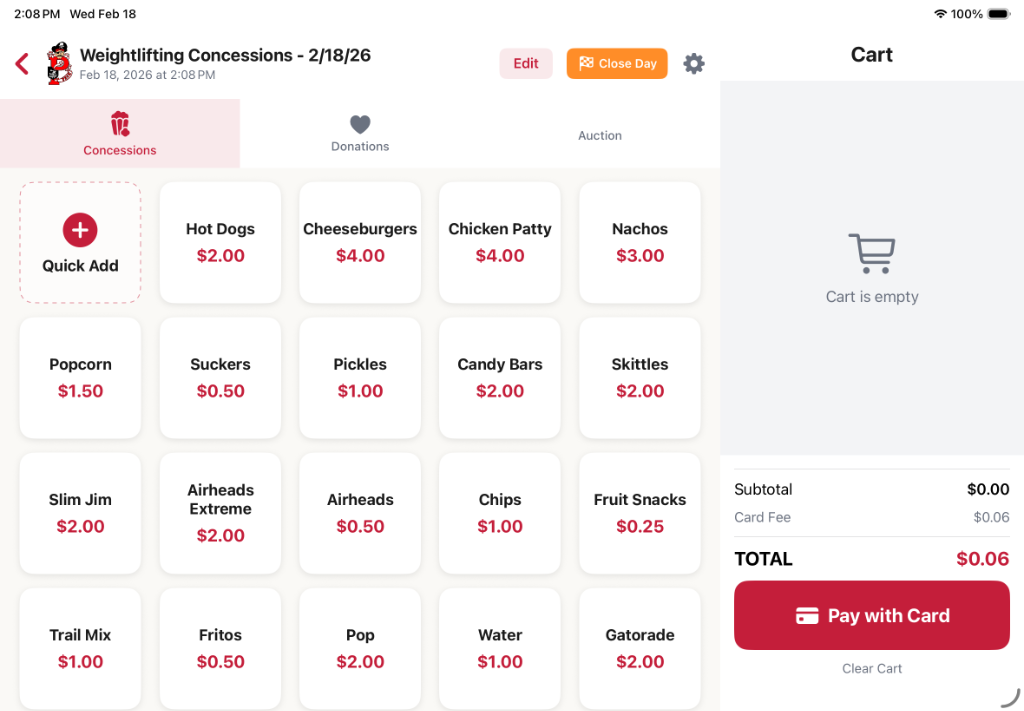
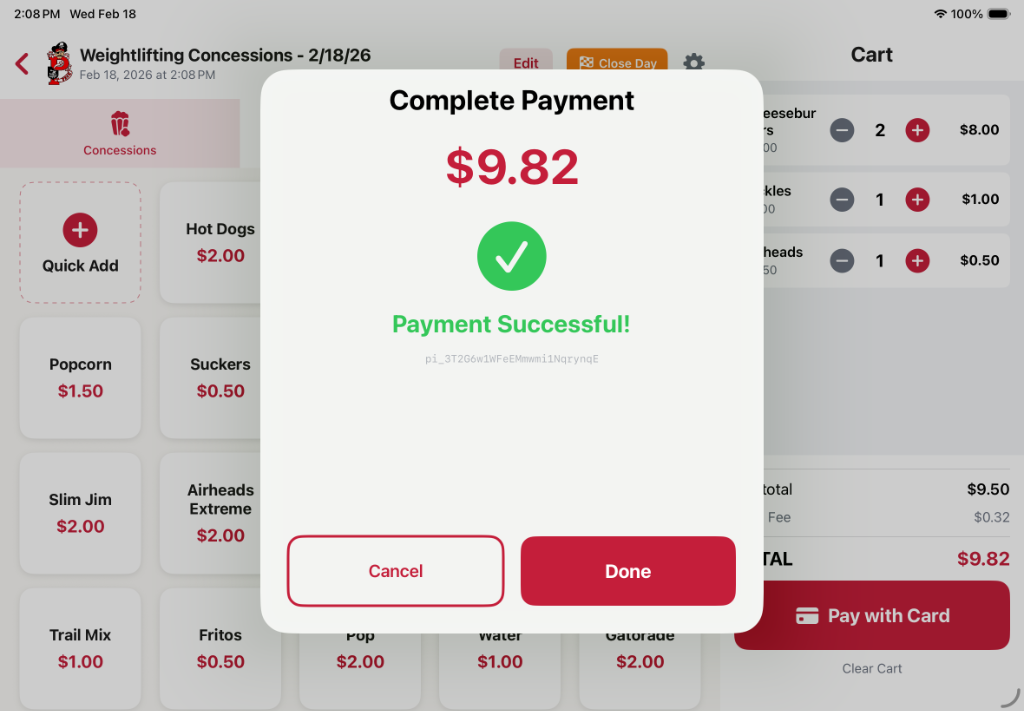
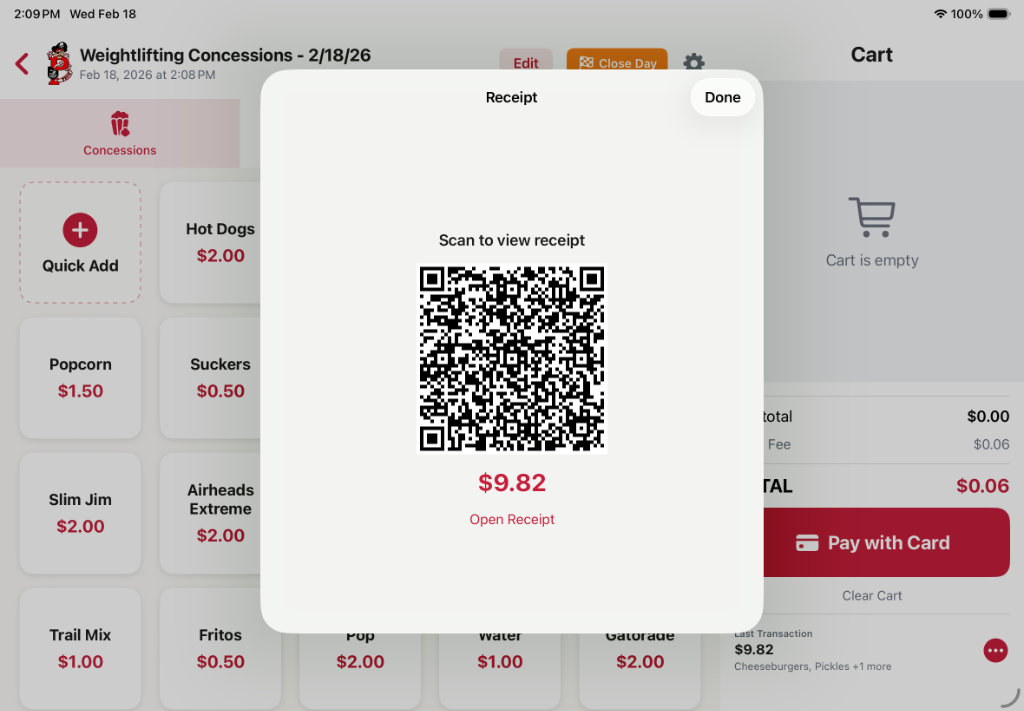
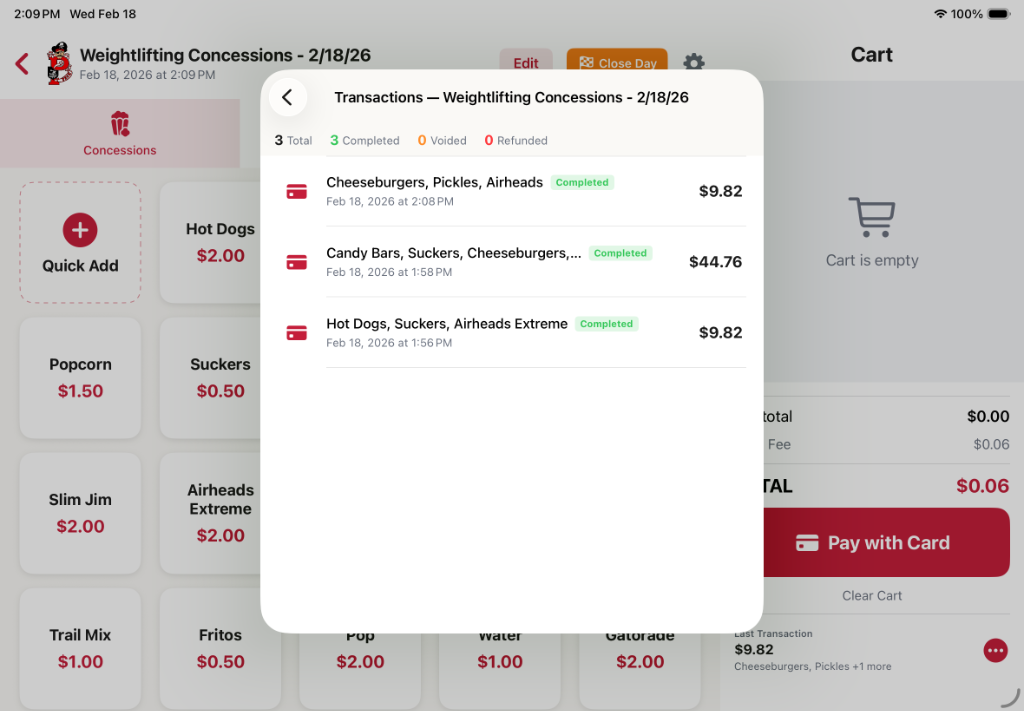
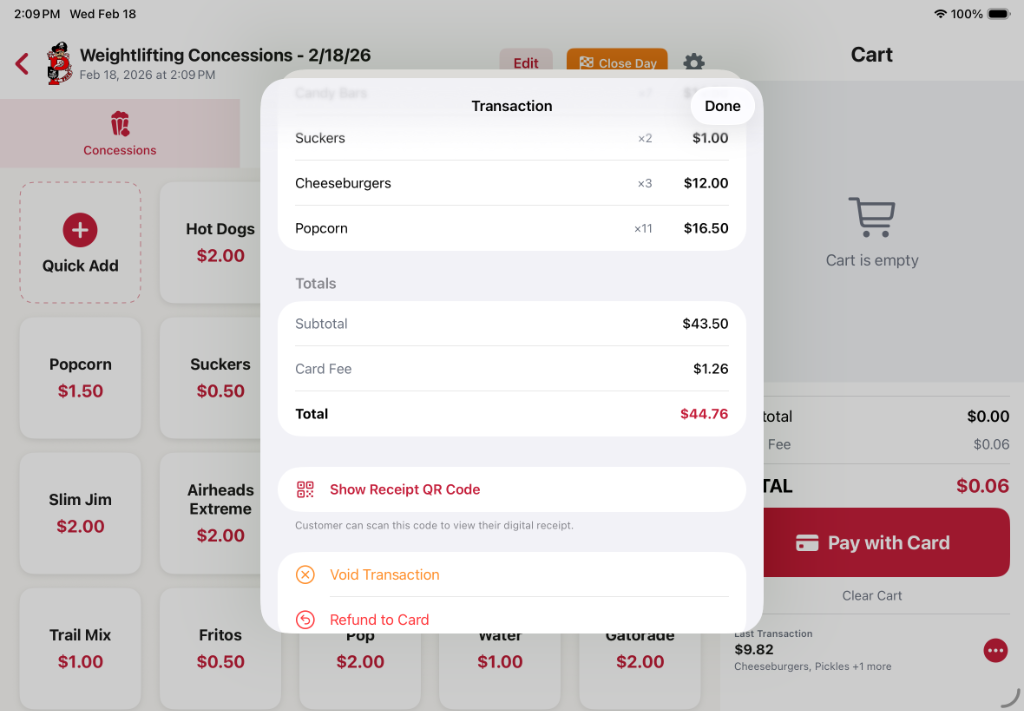
← Scroll to see all screens
Simple, Transparent Pricing
No subscriptions. No annual fees. Just a small setup cost and a per-transaction rate.
Setup Fee
Paid once to get you live
Menu config, hardware pairing, and go-live support
We walk you through the full Stripe account setup
Processing Fee
Added to the customer's total — your program keeps every dollar
✓ Paid by the customer — not deducted from your program
Cash transactions are always free.
Example: On a $5 order, the customer pays $5.30. Your program collects $5.00 — every time, no deductions.
How We Stack Up
| Feature | Spirit Pay | BoosterHub | Square | Zeffy | Cash Box |
|---|---|---|---|---|---|
| Annual License | Free | $500+/yr | $0 | $0 | $0 |
| Processing Fees | 5% + $0.05 | 2.9% + $0.30 | 2.6% + $0.10 | 0% (tip model) | N/A |
| School-Specific Design | ✅ | ⚠️ Partial | ❌ | ❌ | ❌ |
| Event Tracking | ✅ | ⚠️ Limited | ❌ | ❌ | ❌ |
| Local Support | ✅ Personal | ❌ Email only | ❌ Self-serve | ❌ Email only | ❌ |
| Setup Assistance | ✅ Full | ⚠️ Limited | ❌ DIY | ❌ DIY | ❌ |
| Donations & Auctions | ✅ | ✅ | ⚠️ Workaround | ✅ | ❌ |
Round Up & Support a Program
Entirely optional. You decide if you want it — and you can turn it on or off per event.
It's a football game, but the band is running the concession stand. A customer pays $7 for a hot dog — and with one tap, they add a dollar to the band fund.
No awkward asks. No separate donation jars. Just an optional “Round up for the band?” prompt at checkout — and you choose whether that prompt ever appears.
Round Up
Automatically round each transaction up to the nearest dollar and send the difference to a designated program or fund.
Add a Dollar
Prompt customers to add $1, $2, or a custom amount at checkout — a frictionless micro-donation that adds up fast across an event.
You're in Control
Turn it on or off per event. No round-up prompt ever appears unless you enable it. Zero pressure on your customers — zero obligation on your end.
This feature is in development. Early adopters will get access first —get in touch to be notified.
Proven at Peck Community Schools
Peck Pirates — Pilot Deployment
Our first deployment is live at Peck Community School District — our home district. Built by a Peck parent who coaches esports and volunteers at the concession stand. Detailed results and a full case study are coming after the current season.
Live Deployment
Results Coming Soon
Testimonials Pending
Want to be an early adopter? Contact us below to get priority pricing and setup.
Built by a Booster Parent,
Not a Software Company
I'm Brian — a Peck, Michigan parent, booster club member, and esports coach. I built Spirit Pay because I was the one standing behind the concession stand watching parents walk away when they didn't have cash.
This isn't a side project from a big tech company. It's a tool built from firsthand experience at our small-town school, by someone who knows what it's like to count out a cash box at 10pm after a football game.
Frequently Asked Questions
There is no annual license fee. You pay a one-time setup fee starting at $99. A 5% + $0.05 processing fee is added to each customer transaction — meaning your program keeps every dollar you charge. No monthly bills, no deductions from your revenue.
The customer does. The 5% + $0.05 fee is added on top of the purchase price at checkout — your program is never charged. A $5 nachos stays $5 revenue for you; the customer pays $5.30.
Yes — and we help you set it up. Setup assistance is included in our setup packages (pricing based on what you need). Your funds go directly into your organization's Stripe account, which then pays out to your bank on Stripe's standard schedule.
An iPad (any model from the last 5 years) and a Stripe M2 card reader (~$400 total). We help you source everything — we can order the reader directly for you.
Absolutely. Spirit Pay supports food, drinks, candy, merchandise, donations, and silent auctions — all in a single interface.
No contracts. No subscriptions. You pay once for setup, then a small per-transaction fee that only applies when you're actually selling. We believe in earning your business event by event.
Yes — Spirit Pay requires an active internet connection (Wi-Fi or mobile hotspot) to process card payments. We'll help confirm signal at your venue and recommend a hotspot solution if needed.
Ready to Raise More at Your Events?
Tell us about your school and we'll be in touch.